Product List with Cart
Interactive E-Commerce Shopping Cart Application
Project Overview
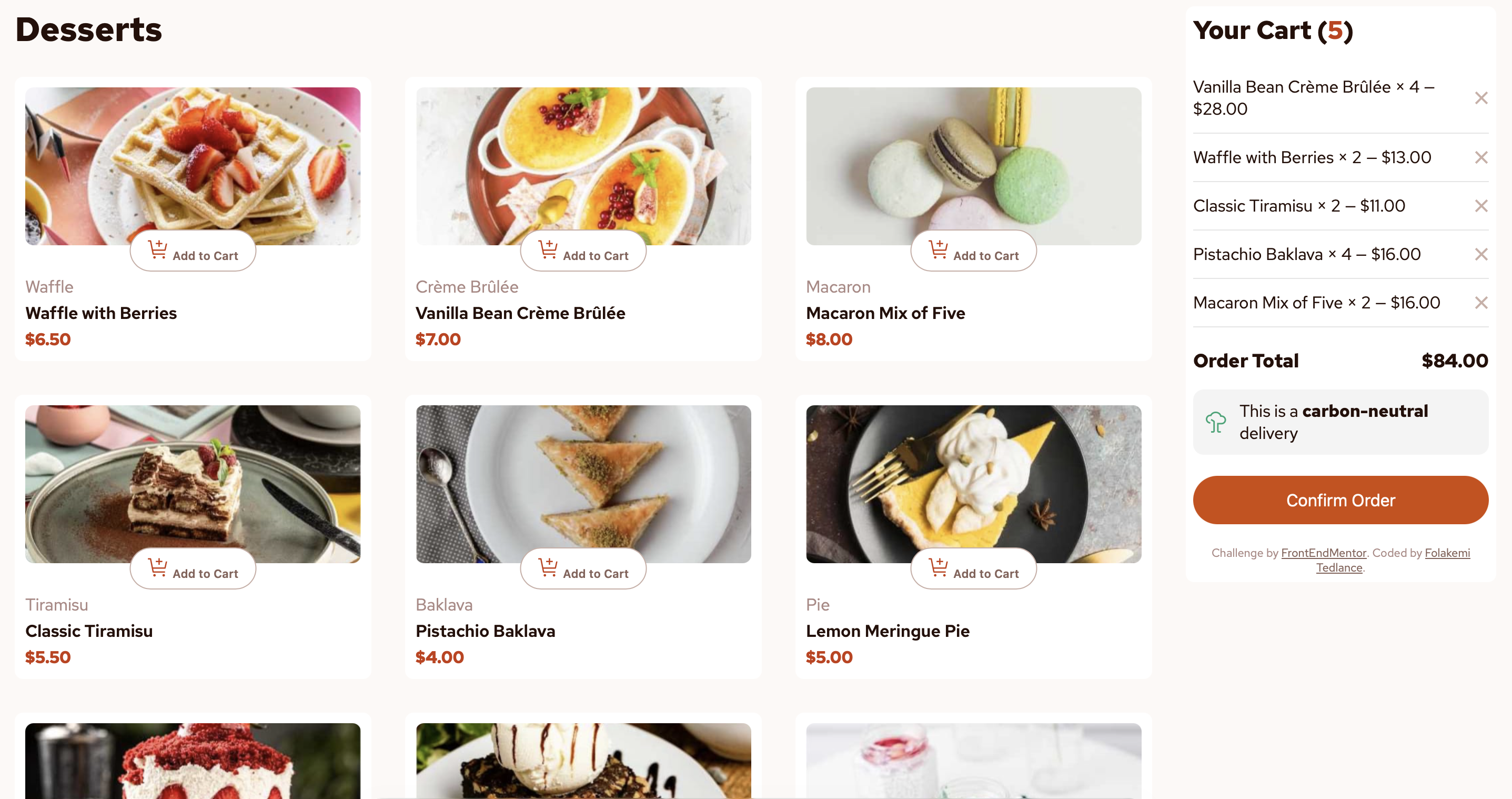
The Product List with Cart is a fully functional e-commerce shopping cart application that allows users to browse dessert items, add products to their cart, adjust quantities, and see real-time price calculations. Built with vanilla JavaScript, this project demonstrates core frontend development skills including DOM manipulation, state management, and responsive design.
The Problem
E-commerce applications require intuitive shopping cart functionality that provides users with immediate feedback on their selections. Many shopping cart implementations lack smooth interactions, clear visual feedback, and proper state management.
Key Challenges
- Real-Time Updates: Cart totals must update instantly
- User Experience: Clear visual feedback for all actions
- State Management: Consistent cart state
- Responsive Design: Works on all devices
The Solution
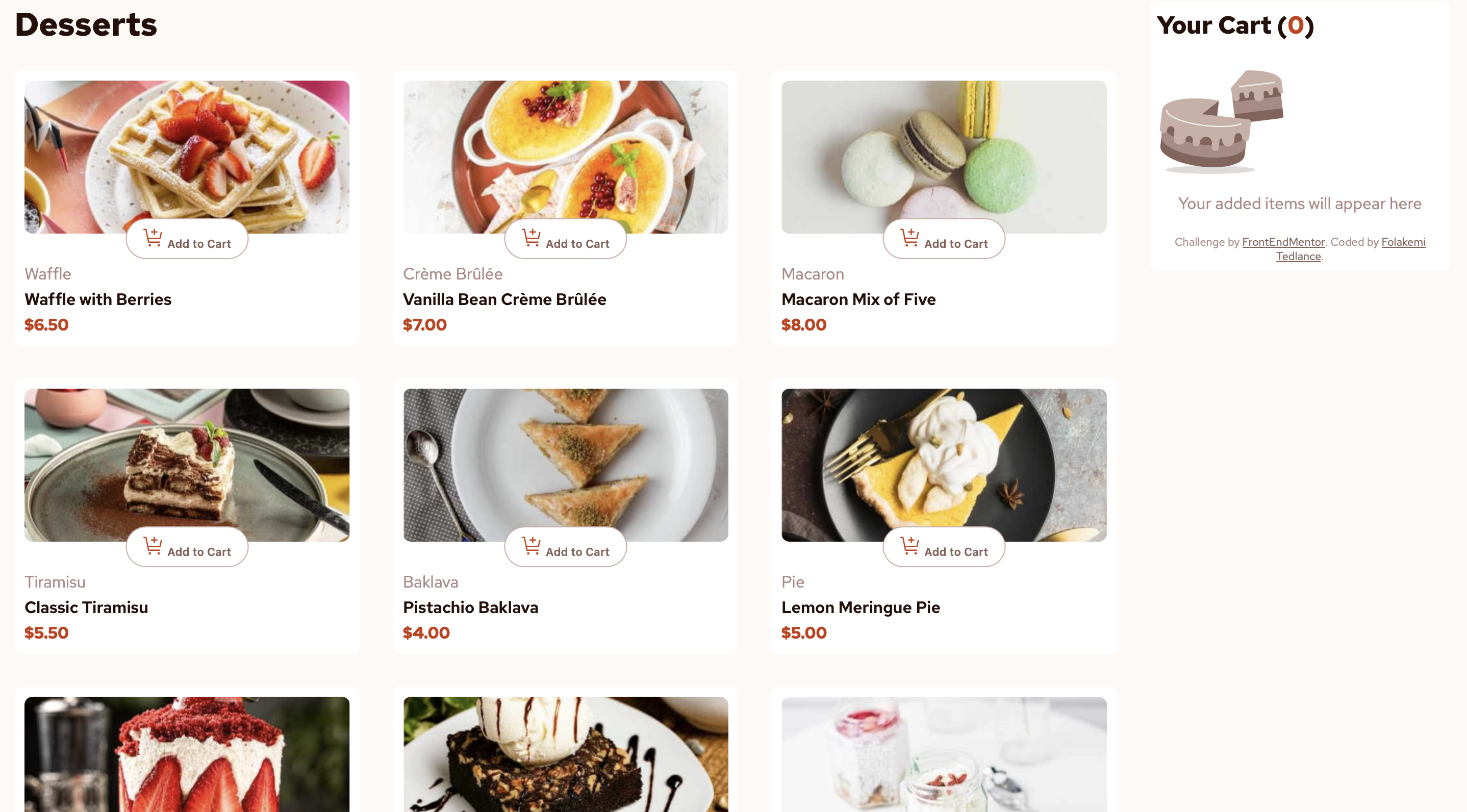
I built a clean, intuitive shopping cart application with instant visual feedback and smooth animations. The application features a responsive grid layout for products and a dynamic sidebar cart that updates in real-time.
Key Features
- Dynamic Product Grid: Responsive layout
- Interactive Cart: Instant visual feedback
- Quantity Control: + and - buttons
- Real-Time Calculations: Automatic price updates
Core Features
Add to Cart
Users can easily add dessert items to their cart with a single click. The button transforms into quantity controls.
Quantity Management
Intuitive + and - buttons with smooth animations and immediate price recalculations.
Remove Items
Clear remove button (×) that deletes items with smooth fade-out animations.
Real-Time Totals
Automatic calculation and display of order totals as cart changes.
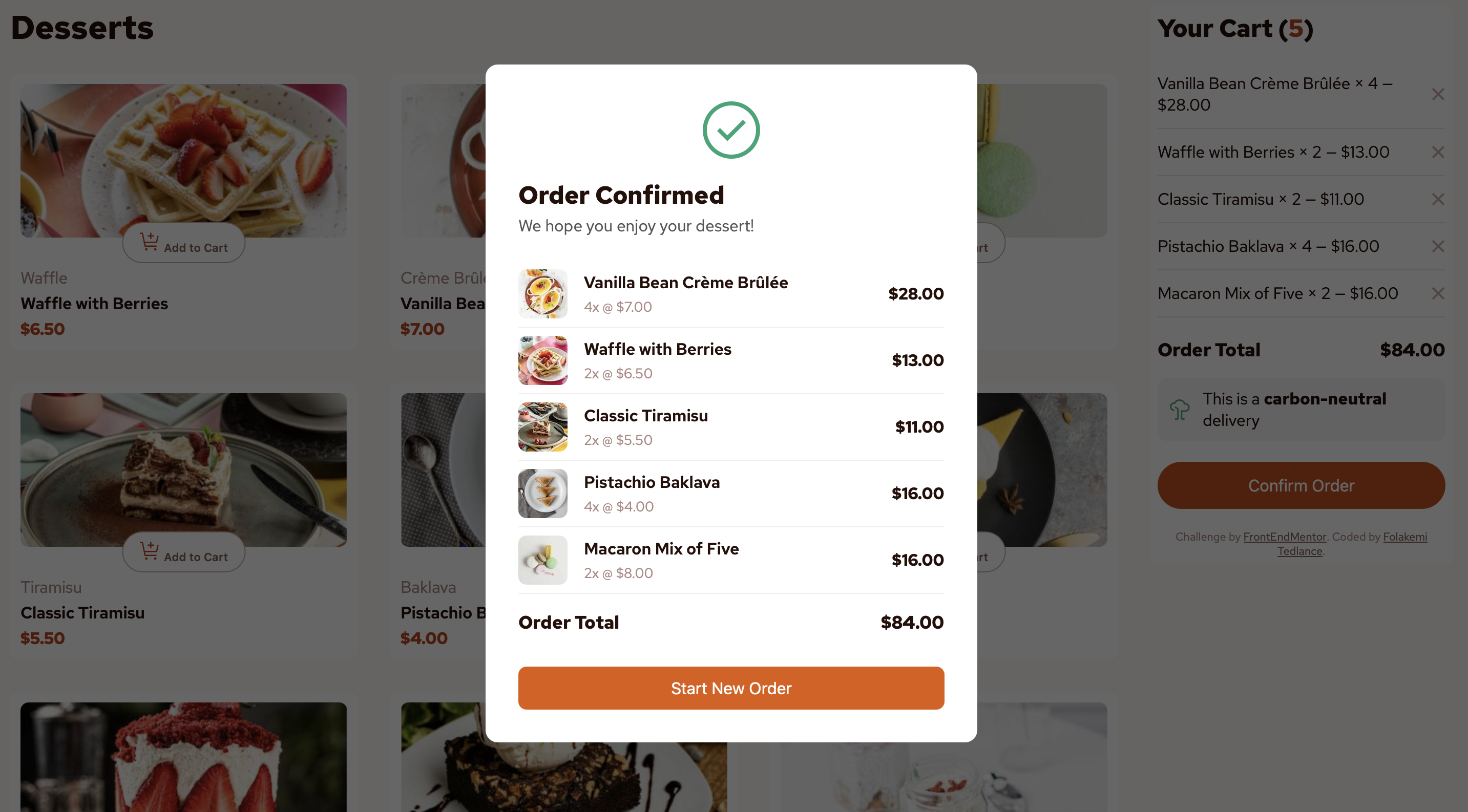
Order Confirmation
Professional modal with order summary and carbon-neutral delivery badge.
Fully Responsive
Seamless adaptation to mobile, tablet, and desktop screens.
Application Screenshots
Follow the complete user journey from browsing products to order confirmation
Technologies Used
What I Learned
State Management
Learned to maintain a single source of truth for application state and update UI reactively based on state changes.
- Keep state separate from UI
- Use array methods for data transformation
- Avoid inconsistent state
User Experience Design
Discovered how small details like animations and instant feedback significantly impact user perception.
- Provide immediate visual feedback
- Use animations to guide attention
- Clear call-to-action buttons
Responsive Design
Reinforced the importance of mobile-first design using CSS Grid and Flexbox together.
- Mobile-first CSS approach
- CSS Grid auto-fit for flexibility
- Touch-friendly button sizes
Code Organization
Learned to organize JavaScript into logical functions with single responsibilities for better maintainability.
- Break code into small functions
- Use descriptive naming
- Separate concerns (data, UI, events)
View the Live Project
Experience the fully functional shopping cart application